Posted in CT State.
- Temp Last Modified:
2024-10-18
CT State Norwalk’s Common Read Program’s mission is to provide first-year students with a shared, enjoyable, academic experience that introduces them to an educational community where intellectual discourse is fostered and valued.
This year's Common Read is The Midnight Library by Matt Haig. See Common Read selections from previous years.
Common Read 2025-2026
The Midnight Library
Matt Haig
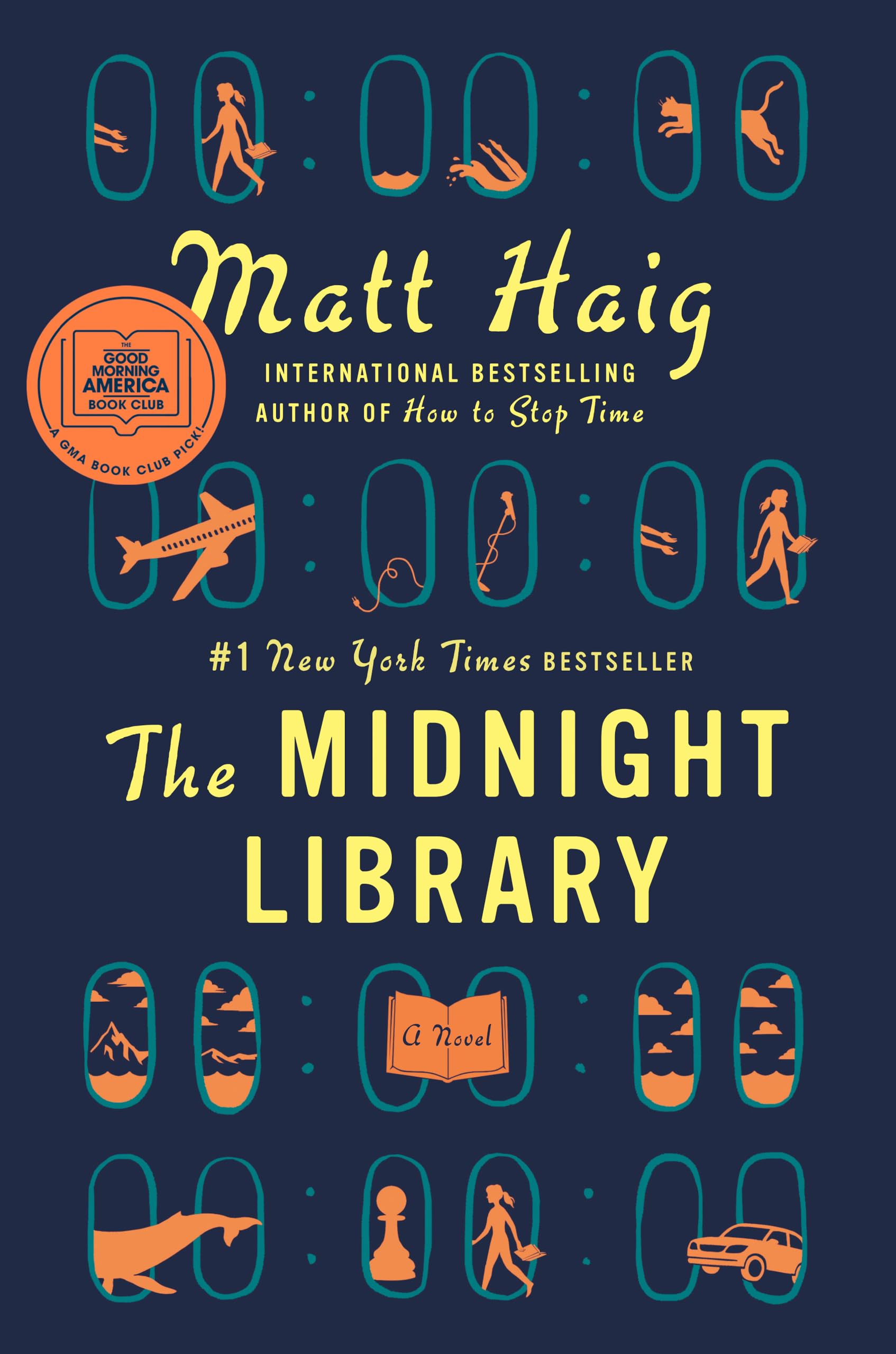 Between life and death there is a library and within that library, the shelves go on forever. Every book provides a chance to try another life you could have lived. To see how things would be if you had made other choices . . . Would you have done anything different, if you had the chance to undo your regrets?”
A dazzling novel about all the choices that go into a life well lived, from the internationally bestselling author of Reasons to Stay Alive and How To Stop Time.
Somewhere out beyond the edge of the universe there is a library that contains an infinite number of books, each one the story of another reality. One tells the story of your life as it is, along with another book for the other life you could have lived if you had made a different choice at any point in your life. While we all wonder how our lives might have been, what if you had the chance to go to the library and see for yourself? Would any of these other lives truly be better?
In The Midnight Library, Matt Haig’s enchanting new novel, Nora Seed finds herself faced with this decision. Faced with the possibility of changing her life for a new one, following a different career, undoing old breakups, realizing her dreams of becoming a glaciologist; she must search within herself as she travels through the Midnight Library to decide what is truly fulfilling in life and what makes it worth living in the first place.
(Copied from author's website)
The Midnight Library Introduction by the Author
Learn More
-
-
Rewrite Your Story: How the Power of Choice Shapes Your Future
This interactive workshop explores how the choices you make—big and small—shape the trajectory of your life. Through reflection and discussion, you’ll discover your own “library of possibilities” and set intentional goals for your college journey.
Session Date, Time and Location
February 25, 2026: 9:30-10:45 a.m. in the GENRE Forum
-
Speaker Information
Denique Weidema-Lewis is a Dialogue Education-trained facilitator and suicide prevention expert with extensive experience in evidence-based training and program development. She has presented nationally and internationally, founded a woman-owned business to advance mental health literacy and is dedicated to reducing health disparities in underserved communities.

-

Matt Haig is the internationally bestselling author of the novels The Midnight Library, The Life Impossible, How to Stop Time, The Humans and The Radleys. His work has been translated into over fifty languages.
The Midnight Library was an instant bestseller and winner of the Goodreads Choice Award for Fiction. It has become a worldwide phenomenon and sold over ten million copies worldwide spending 52 weeks in the New York Times bestseller list. The audiobook is read by Carey Mulligan.
His memoir Reasons to Stay Alive was a number one bestseller, staying in the British top ten for 46 weeks. His award-winning children’s book A Boy Called Christmas was a runaway hit and is translated in over 40 languages. It was made into a film starring Maggie Smith, Sally Hawkins and Jim Broadbent and The Guardian called it an ‘instant classic’.
(Copied from author's website)
Additional Resources (Libguide)
Spring 2026 Common Read Week Schedule
-
-

Steeped in Story: English Breakfast and Book Chat
Time: 8-9:15 a.m.
Location: Culinary Arts Dining Room (W121)
Start your day with a warm cup of tea, delicious English breakfast bites and great conversation. Learn about the cultural roots of your meal and connect with classmates over shared stories from The Midnight Library.
Theme: Cultural Discovery and Immersion
-
Midnight Library Trivia Challenge
Time: 9:30-10:45 a.m.
Location: GenRe Forum
Step into the infinite shelves of possibility! Test your knowledge of The Midnight Library in this thought-provoking trivia game that explores Nora Seed’s and Matt Haig's journey through their extraordinary life experiences! Including a Bonus round that will be sure to add more pivotal plot twists! Test your knowledge for some fun and a chance to win a gift card!!
Theme: Connection
-

Library of Possibilities
Time: 9:30-10:45 a.m.
Location: Teams (Online)
Inspired by Matt Haig’s The Midnight Library, this reflective and interactive workshop invites students to explore the many “books” that could exist in their personal library of life. Through guided journaling, collaborative visual mapping and small group discussion, participants will imagine alternate versions of their lives—realistic or aspirational—and consider how elements of those possibilities might be brought into the present. The workshop encourages self-discovery, curiosity and intentionality, helping students recognize that while we can’t live every possible life, we can choose meaningful aspects of those imagined paths and take steps toward them.
Theme: Self-Reflection and Discovery
-
Steeped in Story: English Breakfast and Book Chat
Time: 11 a.m.-12:15 p.m.
Location: Culinary Arts Dining Room (W121)
Start your day with a warm cup of tea, delicious English breakfast bites and great conversation. Learn about the cultural roots of your meal and connect with classmates over shared stories from The Midnight Library.
Theme: Cultural Discovery and Immersion
-

Web of Connections
Time: 12:30-1:45 p.m.
Location: W128
Students will explore key themes from The Midnight Library—especially life’s possibilities and choices—by engaging in brief, thought-provoking paired conversations with rotating partners. Each conversation prompt will ask them to reflect on an idea inspired by the novel, followed by a whole-group reflection at the end. By the end of the workshop, students will have built a web of connection with other participants, mirroring how Nora’s choices and connections to other characters form the fabric of her many lives.
Theme: Connection
-

Question, Persuade and Refer
Time: 4-5:15 p.m.
Location: W114
This session is designed to equip students with 3 steps anyone can learn to prevent suicide. The QPR mission is to reduce suicidal behaviors and save lives by providing innovative, practical and proven suicide prevention training. The signs of crisis are all around us. We believe that quality education empowers all people, regardless of their background, to make a positive difference in the life of someone they know. Attendees will receive a QPR training certificate.
Theme: Mental Health and Wellness
-

Explore the Midnight Library
Time: 5:30-6:45 p.m.
Location: Library
Step into the world of The Midnight Library with our interactive scavenger hunt! Work in groups to locate books with themes that are connected to Nora's lives and explorations. Sharpen your research skills, explore our collection, and share your discoveries with friends. Don’t miss out on this literary adventure!
Theme: Connection and Discovery
-
-

Opening Moves: A Chess Workshop for Beginners
Time: 8-9:15 a.m.
Location: W105
In The Midnight Library, every decision leads to a new reality—just like every move in chess shapes the game ahead. Join us for a beginner-friendly chess workshop where you’ll learn the basics and explore strategies.
Theme: Skill-Building & Connection
-
KEYNOTE: Rewrite Your Story: How the Power of Choice Shapes Your Future
Time: 9:30-10:45 a.m.
Location: GenRe Forum
This interactive workshop explores how the choices you make—big and small—shape the trajectory of your life. Through reflection and discussion, you’ll discover your own “library of possibilities” and set intentional goals for your college journey.
Theme: Regrets, Self-Reflection and Discovery
-
Midnight Library Trivia Challenge
Time: 11 a.m.-12:15 p.m.
Location: GenRe Forum
Step into the infinite shelves of possibility! Test your knowledge of The Midnight Library in this thought-provoking trivia game that explores Nora Seed’s and Matt Haig's journey through their extraordinary life experiences! Including a Bonus round that will be sure to add more pivotal plot twists! Test your knowledge for some fun and a chance to win a gift card!!
Theme: Connection
-
Explore the Midnight Library
Time: 12:30-1:45 p.m.
Location: Library
Step into the world of The Midnight Library with our interactive scavenger hunt! Work in groups to locate books with themes that are connected to Nora's lives and explorations. Sharpen your research skills, explore our collection and share your discoveries with friends. Don’t miss out on this literary adventure!
Theme: Connection and Discovery
-
Question, Persuade and Refer
Time: 5:30-6:45 p.m.
Location: W105
This session is designed to equip students with 3 steps anyone can learn to prevent suicide. The QPR mission is to reduce suicidal behaviors and save lives by providing innovative, practical and proven suicide prevention training. The signs of crisis are all around us. We believe that quality education empowers all people, regardless of their background, to make a positive difference in the life of someone they know. Attendees will receive a QPR training certificate.
Theme: Mental Health and Wellness
Past Common Read Selections
- 2018 - Bullets into Bells by Dean Rader, Alexandra Teague and Brian Clements
- 2017 – Lottery by Patricia Wood
- 2016 – When the Emperor Was Divine by Julia Otsuka
- 2015 – Spare Parts by Joshua Davis
- 2014 – Intimate Apparel by Lynn Nottage
- 2013 – Garbology by Edward Humes and Joe Barrett
- 2012 – The Other Wes Moore by Wes Moore
- 2011 – Outcast United by Warren St. John


 The Small Business Center at Gateway is conveniently located on the first floor of the South building, in Room S105. The center includes the